
Your spec is already a mock.
Mohock lives in your menu bar and serves mock responses straight from your OpenAPI spec. Paste a URL or choose a file, click Create, and every endpoint is answering on localhost.
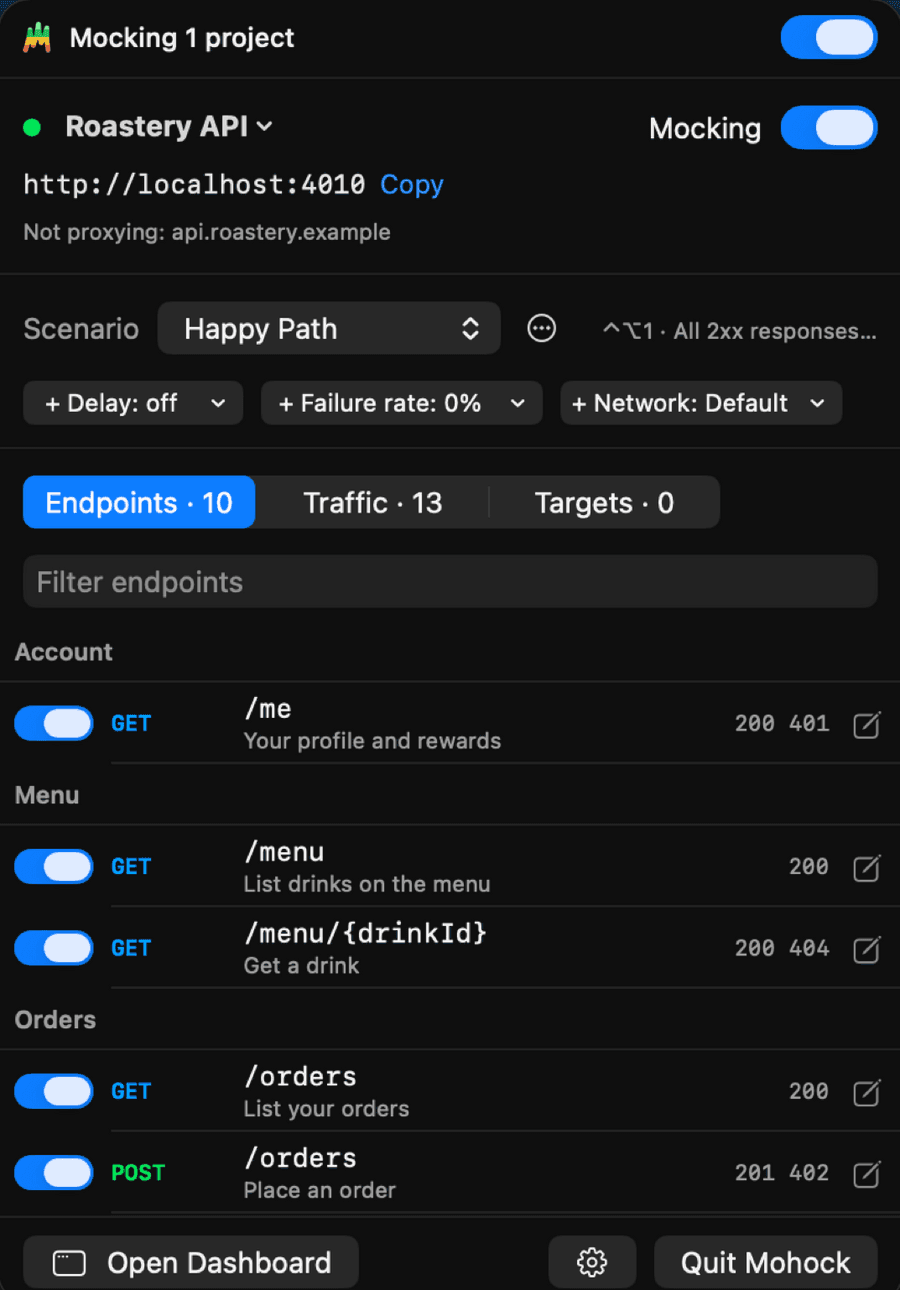
From spec to mock in three steps
- 01
Paste your spec
OpenAPI or Swagger, from a URL or a file.
api.roastery.example/openapi.yaml - 02
Click Create
Every endpoint gets a response built from the spec itself.
10 endpoints mocked - 03
Keep building
Each project gets its own mock server on localhost.
curl localhost:4010/v2/menu 200
Every endpoint, mocked instantly.
Realistic data from your spec, consistent from one request to the next. Nothing to write before your app can start calling it.
- Built from the spec. Examples where the spec has them, generated data from the schema where it doesn't.
- Mock or pass through. Decide per endpoint whether Mohock answers or the real server does.
- At a glance. See which responses each endpoint can serve and how often it has been hit.
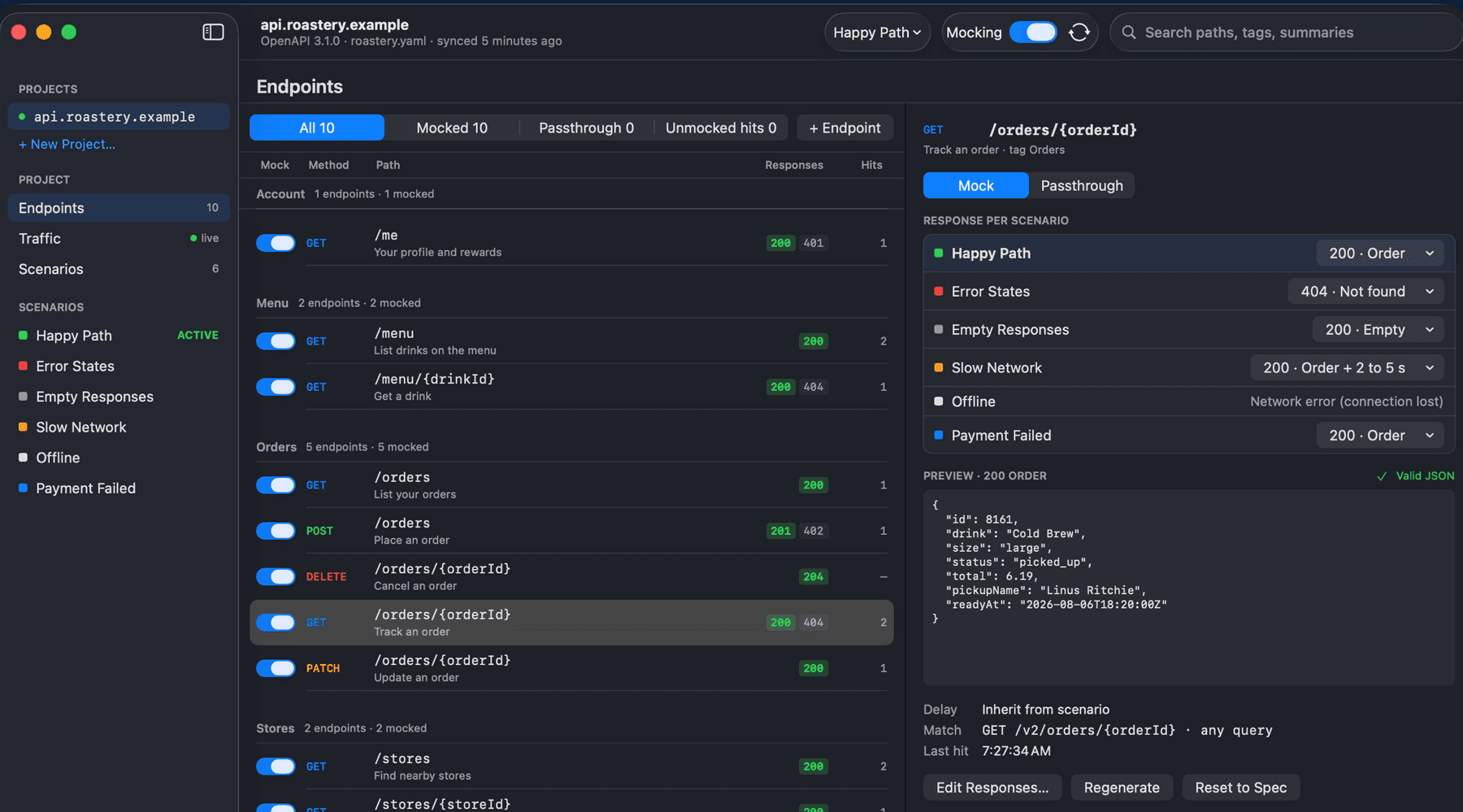
Watch every request live.
See what was mocked, what passed through, and what slipped past, each call as it happens.
- Filter fast. Narrow by status, method, or path.
- Replay or copy. Send a request again, or copy it as cURL.
- Catch the gaps. Calls your spec doesn't cover are flagged, so you can mock them or pass them through.
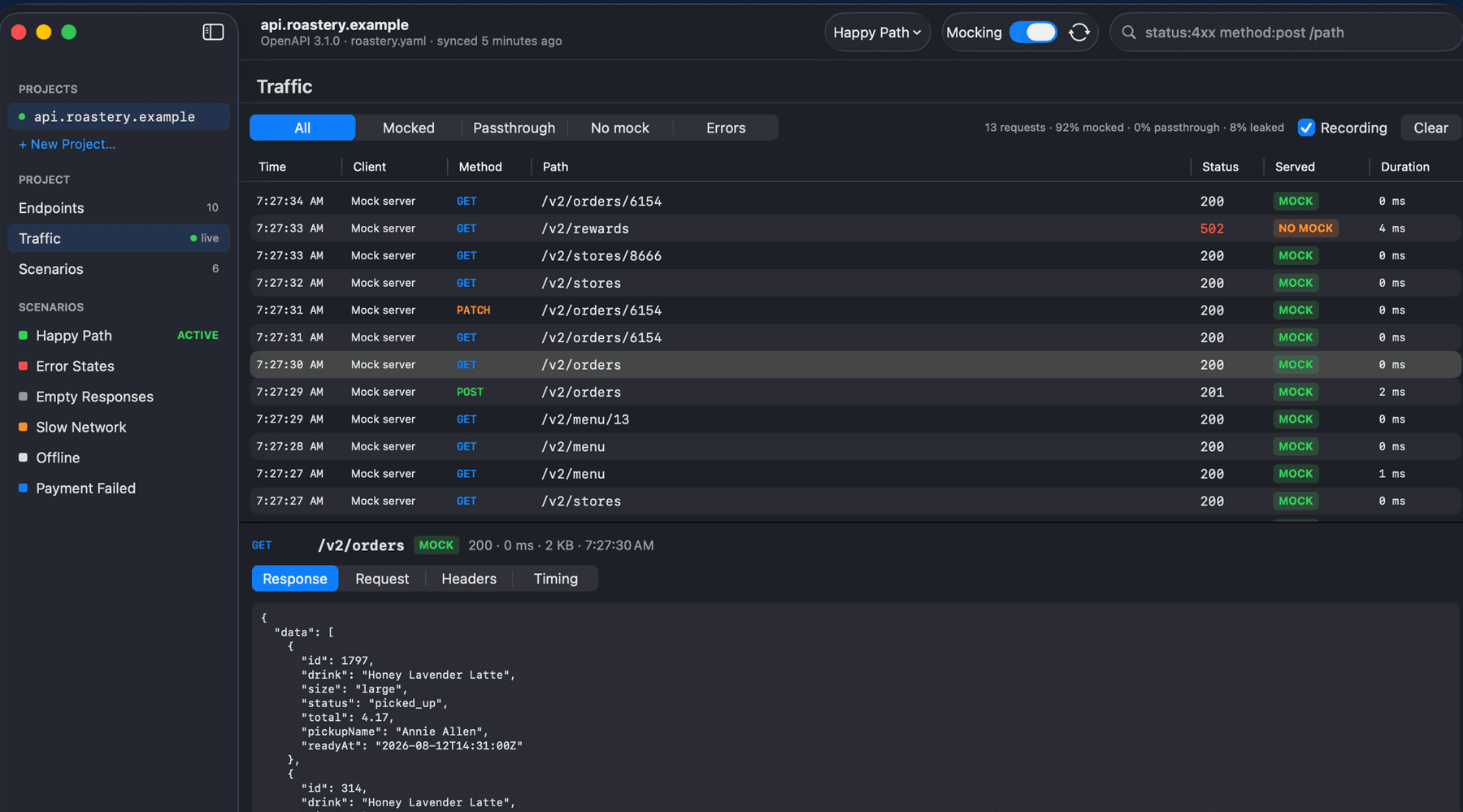
Shape any response.
Edit the JSON, regenerate the data, or serve an error instead.
- JSON or form. Edit raw JSON, or use a simple form that shows each value with its type.
- Lock what matters. Locked fields keep their values when you regenerate.
- Back to the spec. Reset any response to what the spec says, whenever you like.
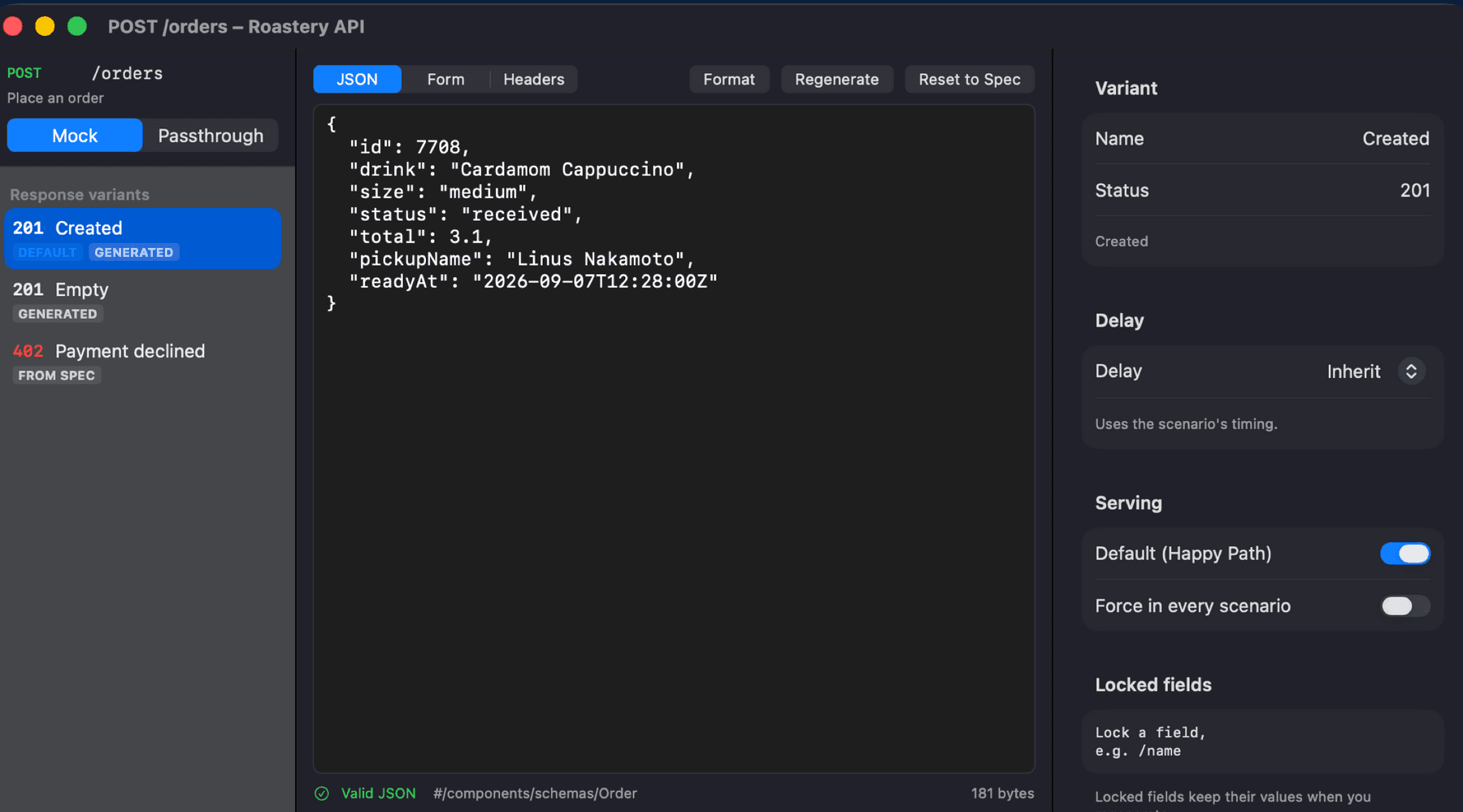
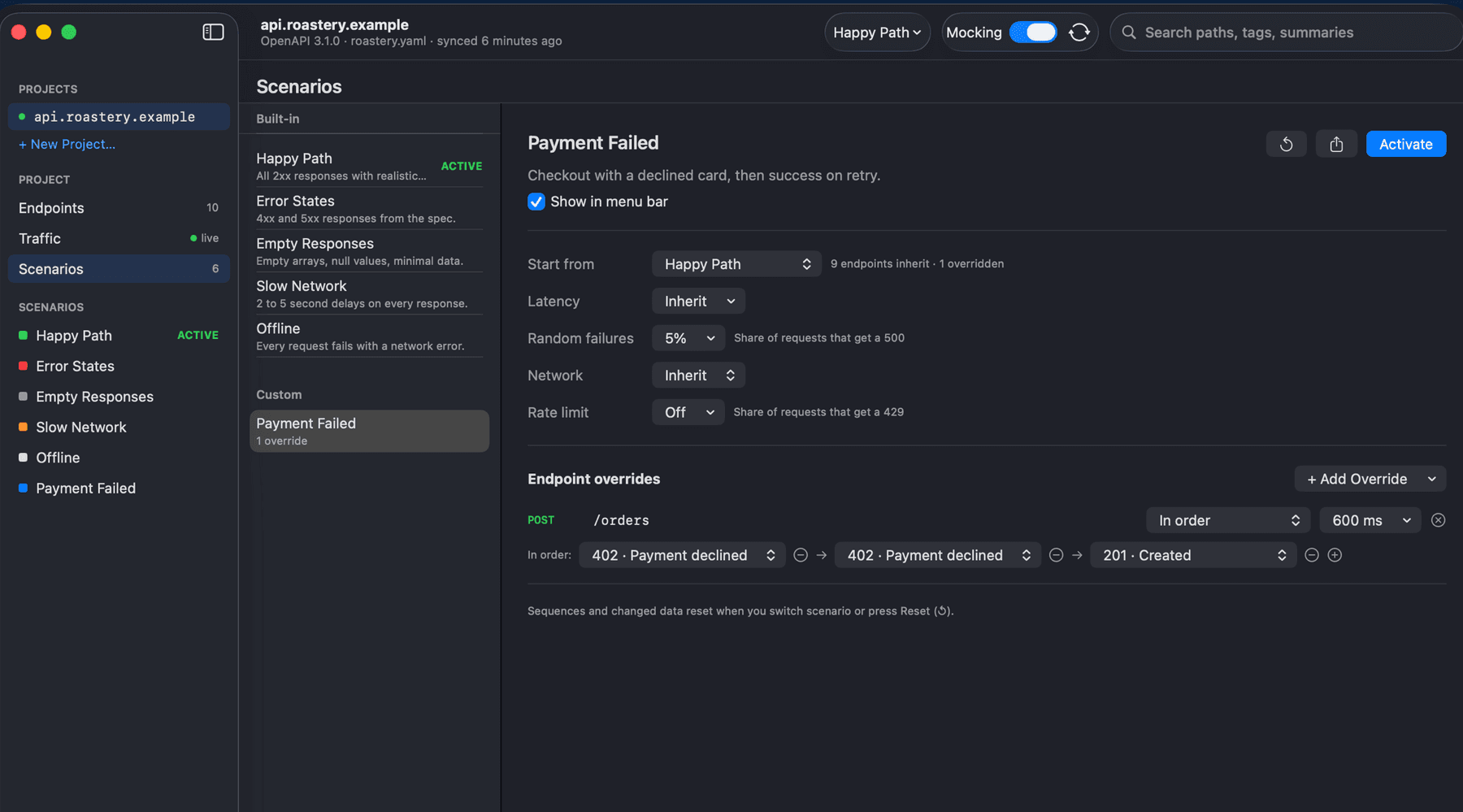
Test the unhappy paths.
Errors, empty states, slow networks, and declined payments, one switch away.
- Whole API, one click. Switch between the happy path, error states, empty responses, a slow network, or offline.
- Make your own. Add latency, random failures, or a rate limit, and override single endpoints.
- Sequences. Decline a payment twice, then let it succeed on the third try.
Further simplify your mocks with the helper.
Mohock runs sandboxed, so it can’t change your Mac or your Simulators. The helper makes those changes for you. This allows you to continue calling the real API addresses, while Mohock answers.
- Live interception. No base URL to swap. The Simulator’s and your Mac’s requests to the real host are routed through your project while it is mocking.
- HTTPS that just works. Certificates are set up for booted Simulators, with one click to trust them on your Mac.
- A mohock command. Run
mohock -- npm run devto mock just that program. - Nothing hidden. Every change is listed before and as it happens, and quitting puts your Mac’s proxy back.

Small, local, and out of your way.
Stays in sync
When the spec changes, Re-sync shows what was added, changed, or removed before you apply it.
Your edits are kept
Edited responses, custom endpoints, and settings survive every re-sync.
Ahead of the spec
Add an endpoint that isn't in the spec yet, or force a status code on one that is.
Mocked and real, mixed
An optional local proxy lets clients you configure be mocked over HTTPS, with the rest passed through.
One switch
Turn mocking on or off for a project right from the menu bar.
Private by design
Your specs, mocks, and traffic stay on your Mac. No account, no analytics.

Mohock is almost here.
It is on its way to the Mac App Store. Until then, your spec is safe where it is.
Coming soon to theMac App Store